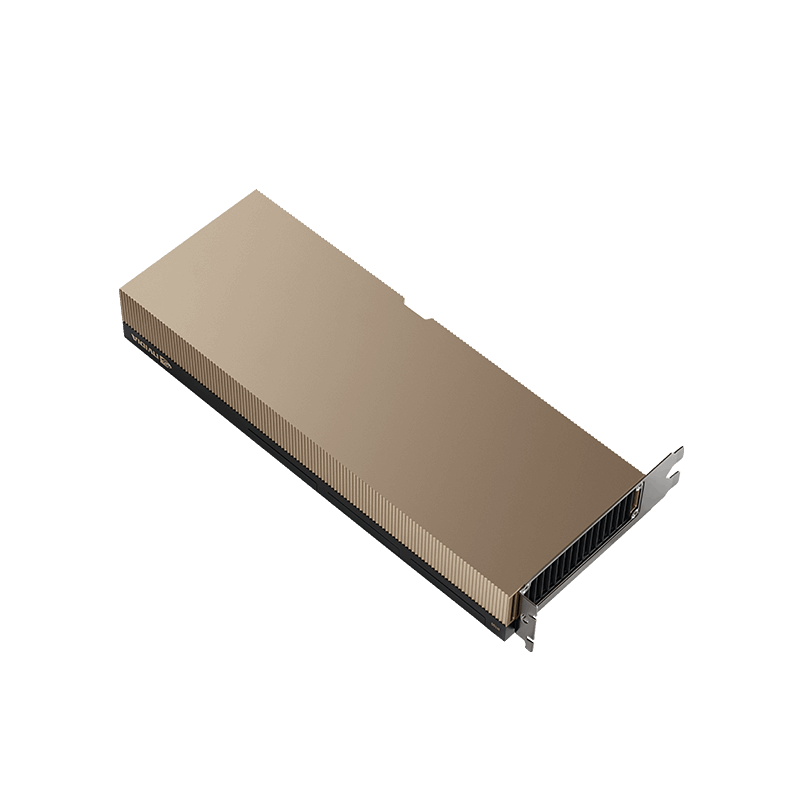
NVIDIA / Hopper
H100 PCIe
| Provider / plan | Price / GPU-hour | Rental type | Terms & configuration | Last checked | Provider pricing link |
|---|---|---|---|---|---|
| RunpodSecure Cloud Pods | $2.89Lowest flexible rate | On-demandNo reservation | 1 GPU minimumSee providerView detailsSecure Cloud Pods published GPU-hour rate. CPU/RAM allocation varies; storage/networking extra. Not live capacity.
|
2026-10-03Auto-collected | View pricing ↗ |
Prices are dated listings, not live availability. Compare minimum GPU counts and commitments. Storage, networking and taxes may add charges; serverless rates cover GPU time only.
H100 PCIe brings Hopper acceleration to compatible PCIe servers with 80 GB of HBM2e. It is a different configuration from H100 SXM, with a 350 W maximum board power and lower memory bandwidth. Choose it using the exact rental configuration, not the H100 name alone.
CHOOSING THIS GPU
Is it right for your workload?
80 GB HBM2e PCIe card, GH100-200 product brief. This is not the 94 GB H100 NVL. The cited brief contains differing NVLink descriptions; ask the provider for the installed link configuration.
Best suited to
- Hopper-based inference in PCIe servers
- Model fine-tuning within an 80 GB memory budget
- Compute jobs that do not require an HGX NVSwitch fabric
Strengths
- 80 GB GPU memory
- PCIe server form factor
- 350 W maximum board power in the reference brief
Things to consider
- 2 TB/s memory bandwidth, below the SXM edition
- NVLink bridges may not be present in a rental
- Do not apply SXM peak performance figures to this card
HARDWARE DETAILS
Inside the GPU
- Manufacturer
- NVIDIA
- Architecture
- Hopper
- VRAM (GB)
- 80
- Memory type
- HBM2e
- Form factor
- PCIe
- Memory bandwidth (GB/s)
- 2000
- Maximum board power (W)
- 350
- CUDA cores
- 14592
- Tensor cores
- 456 / 4th generation
- Ray tracing cores
- Not verified for this edition
- CUDA capability
- 9.0
- Memory ECC
- Supported
- Host interface
- PCIe Gen5 x16
- GPU interconnect
- Two-card NVLink bridge support; confirm installed topology
- Hardware partitioning (MIG)
- Up to 7 hardware instances; provider must enable it
- Cooling
- Passive; server airflow required
Hardware capabilities are not a guarantee of access in a cloud instance. Check the exact edition, GPU allocation and server topology in the rental offer.
MODEL MEMORY
Plan your model size
70B 8-bit weights alone are about 70 GB; a full runtime needs additional memory. Compare quantized single-GPU serving with supported multi-GPU execution. Full fine-tuning requires substantially more than inference weights.
| Example model class | Weight format | Raw weights ≈ | Minimum GPUs for weights only |
|---|---|---|---|
| Llama 3.1 8B ↗ | 4-bit | 4 GB | 1Runtime needs more memory |
| Llama 3.1 8B ↗ | FP16 | 16 GB | 1Runtime needs more memory |
| Qwen2.5 14B ↗ | 4-bit | 7 GB | 1Runtime needs more memory |
| Qwen2.5 32B ↗ | 4-bit | 16 GB | 1Runtime needs more memory |
| Llama 3.1 70B ↗ | 4-bit | 35 GB | 1Runtime needs more memory |
| Llama 3.1 70B ↗ | 8-bit | 70 GB | 1Runtime needs more memory |
| Llama 3.1 70B ↗ | FP16 | 140 GB | 2Runtime needs more memory |
Arithmetic lower bound: rounded parameter count × bits per weight ÷ 8, in decimal GB. Excludes quantization metadata, KV cache, activations, CUDA workspaces and training states. Actual model sizes differ from their rounded names. No context length, batch size or concurrency is guaranteed. GPU counts assume supported model sharding and can be higher in practice. Quantized checkpoints and compatible kernels are required for 4-bit/8-bit execution.
SOFTWARE & PERFORMANCE
Before you deploy
Software compatibility
Use an NVIDIA CUDA-enabled framework/container compatible with this GPU and the host driver. Check PyTorch build and inference-engine kernel requirements before deployment. vLLM documents NVIDIA compute capability 7.5+ as a baseline; support for each model and quantization method still needs checking.
Measured benchmarks
A reproducible, comparable application benchmark has not yet been recorded for this edition. Peak TFLOPS above are not measured tokens per second or image-generation speed.
Compare tests using the same model, precision, GPU count, engine version, input/output length and batch or concurrency. A provider’s server configuration can change the result.
COMPARE YOUR OPTIONS
Alternatives to consider
BUDGET YOUR RUN
GPU cost estimator
GPU compute only: hourly rate × billable hours × GPU count. CPU, RAM, storage, egress, taxes, billing increments and minimum terms may add charges. Serverless hours mean active GPU task time; spot capacity can be interrupted. Reserved commitments and quote-only offers are excluded from this simple hourly estimator.